 xkorfun / winlego
winlego
Snap windows into zones, and keep them there.
창을 영역에 맞춰 넣고, 그 자리를 지킵니다.
With more than one display, windows drift: an app reopens in the wrong place, a monitor wakes up and everything shuffles, and you spend the morning dragging things back. winlego gives each display a zone layout, puts windows into zones, and keeps them there.
모니터가 여러 대면 창이 자꾸 흩어집니다. 앱이 엉뚱한 자리에서 열리고, 모니터가 깨어나면 전부 뒤섞이고, 아침마다 창을 끌어다 놓는 데 시간을 씁니다. winlego는 디스플레이마다 영역 레이아웃을 정하고, 창을 영역에 넣고, 그 자리를 지켜 줍니다.
brew install --cask esteban-eg-kim/tap/winlego
A layout per display
디스플레이마다 레이아웃
Halves, thirds, ⅔ + ⅓, a 2×2 grid, rows for a portrait monitor, the whole screen for a small one. Or draw your own.
반반, 3열, ⅔ + ⅓, 2×2 격자, 세로 모니터용 상하, 작은 모니터용 전체 화면. 직접 그릴 수도 있습니다.
Hold ⇧ and drop
⇧ 누르고 놓기
Drag a window with Shift held and the zones appear. Drop it on one and it fills the zone exactly.
Shift를 누른 채 창을 끌면 영역이 나타납니다. 하나에 놓으면 창이 영역에 꼭 맞춰집니다.
Merge zones with ⌃
⌃ 로 영역 합치기
Add Control mid-drag and every zone you pass over joins in. The window spans them all.
끄는 도중 Control을 더하면 지나가는 영역이 모두 합쳐지고, 창이 그 전부를 차지합니다.
It stays put
제자리 유지
When an app moves its own window, or a display sleeps and wakes, winlego puts the window back. Drag it away yourself and it lets go.
앱이 창을 스스로 옮기거나 모니터가 절전에서 깨어나도 제자리로 돌려놓습니다. 직접 끌어내면 놓아줍니다.
Rules and shortcuts
규칙과 단축키
“Terminal always goes to the right third.” Or step through zones and displays with ⌃⌥ and the arrow keys.
“터미널은 항상 오른쪽 1/3.” 또는 ⌃⌥ 와 화살표로 영역과 디스플레이를 옮겨 다닙니다.
One permission, no network
권한 하나, 네트워크 없음
Needs only Accessibility. Collects nothing, sends nothing, and the source is open.
손쉬운 사용 권한 하나면 됩니다. 아무것도 모으거나 보내지 않고, 소스가 공개되어 있습니다.
Resize on the real screen
실제 화면에서 크기 조절
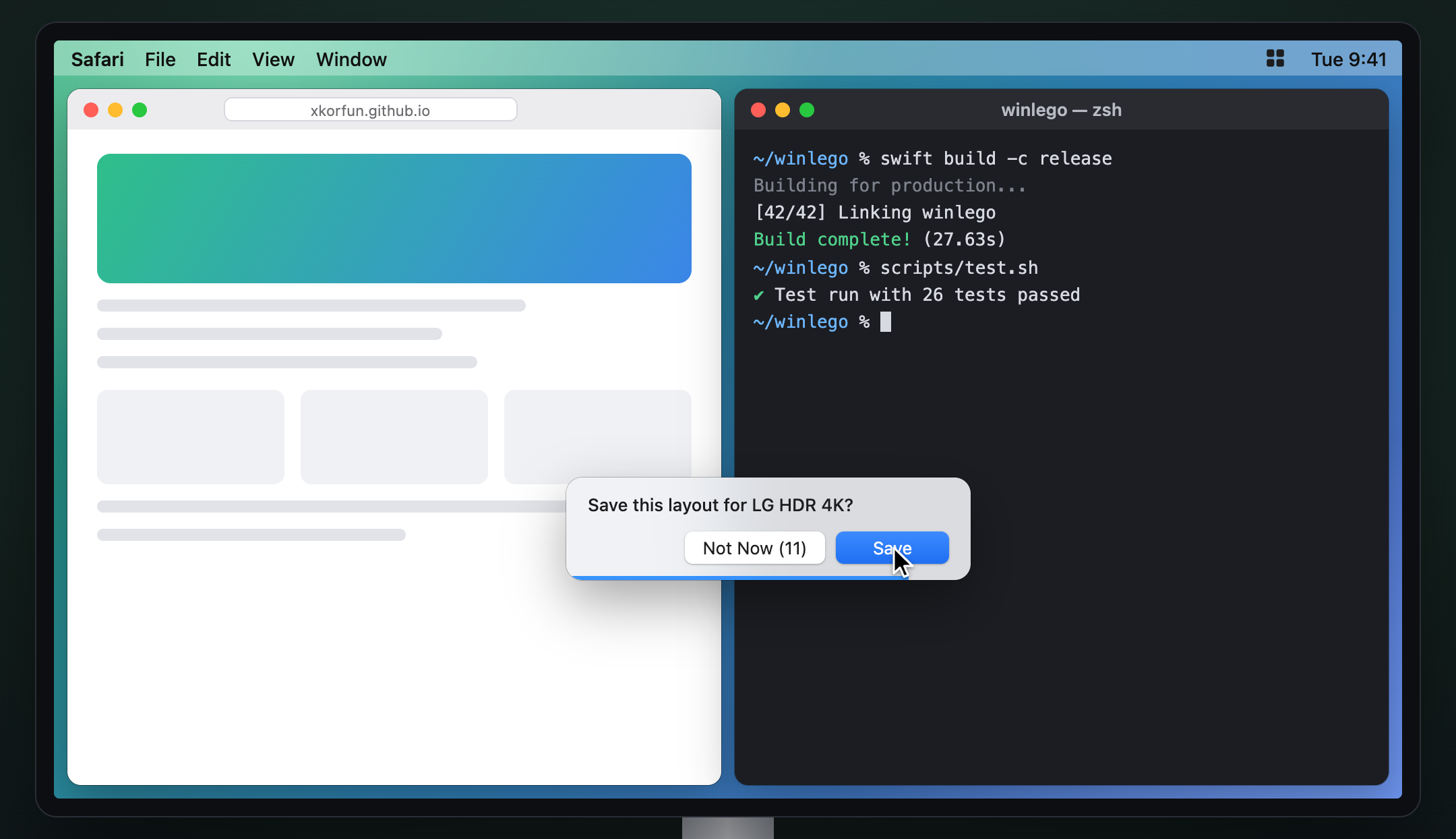
Drag the boundary between two placed windows and both follow live. Let go, and winlego asks whether to keep the new proportions as the display's layout.
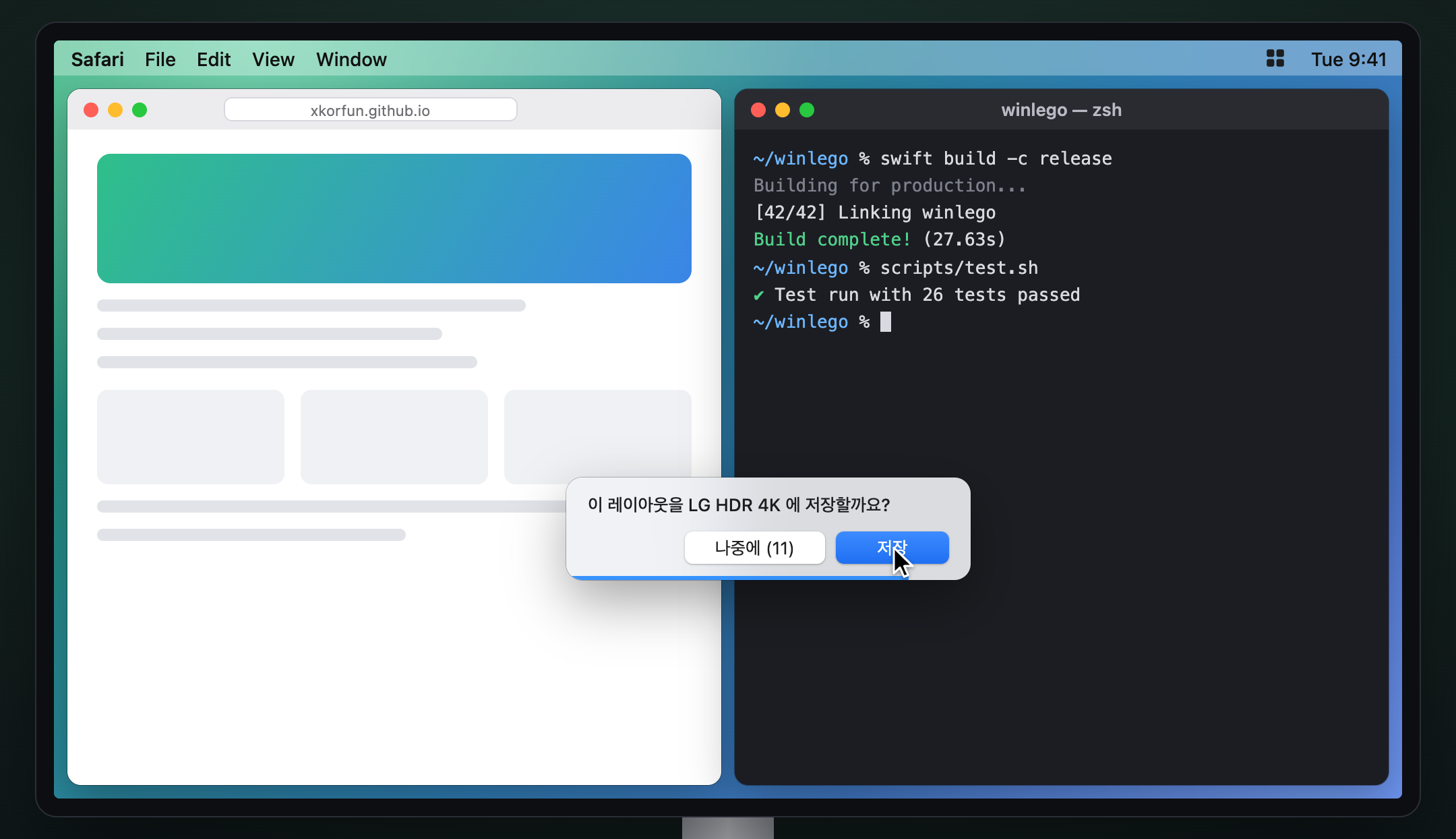
배정된 두 창 사이의 경계를 끌면 양쪽 창이 실시간으로 따라옵니다. 놓으면 새 비율을 그 디스플레이의 레이아웃으로 저장할지 묻습니다.
Lives in the menu bar
메뉴바에 조용히
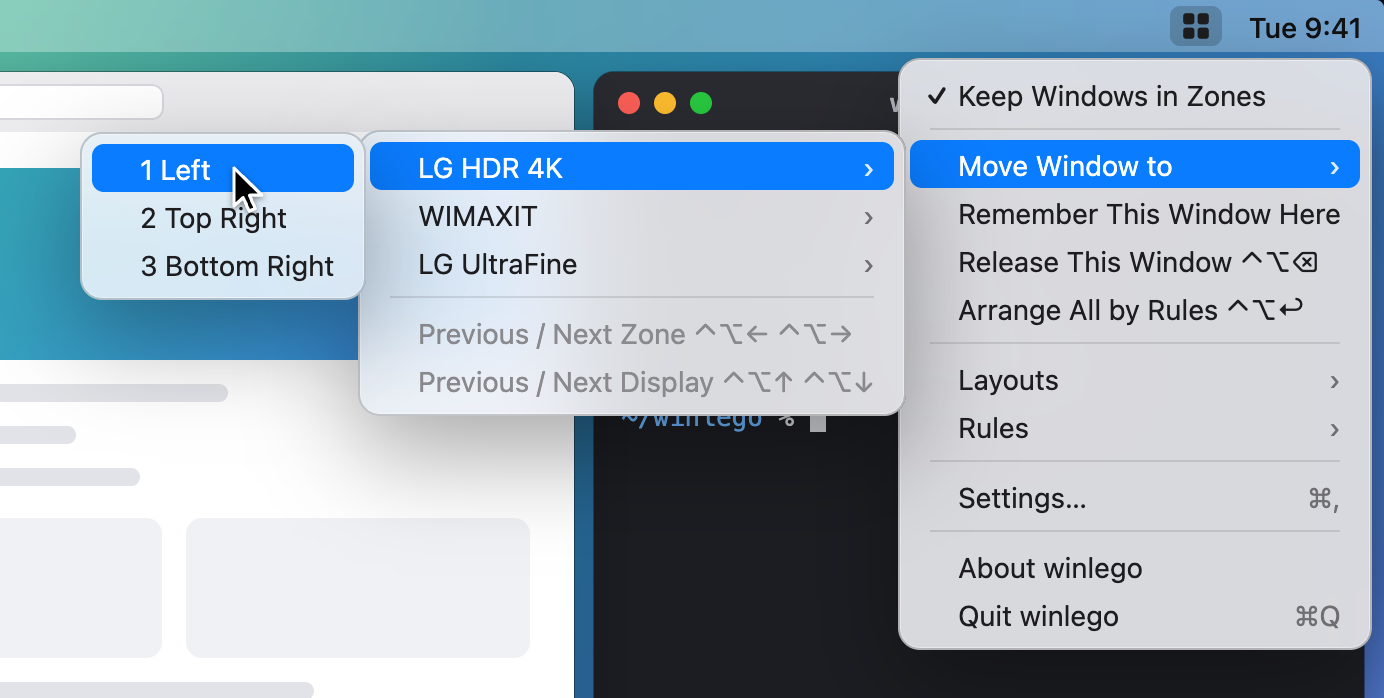
Move the focused window to any zone on any display, pick layouts, manage rules. Everything else is in Settings.
현재 창을 어느 디스플레이의 어느 영역으로든 옮기고, 레이아웃을 고르고, 규칙을 관리합니다. 나머지는 설정에 있습니다.
Get started
시작하기
Install with Homebrew, open winlego, and allow Accessibility when it asks. Pick a layout for each display, then hold ⇧ and drag a window onto a zone. The manual covers rules, the layout editor and troubleshooting.
Homebrew로 설치하고 winlego를 열어 손쉬운 사용 권한을 허용합니다. 디스플레이마다 레이아웃을 고른 뒤 ⇧ 를 누른 채 창을 영역으로 끌어 놓으면 됩니다. 규칙, 레이아웃 에디터, 문제 해결은 설명서에 있습니다.